Random Color Generator – Colour Wheel Spinner
A random color generator picks a colour for you at random. Spin the colour wheel to choose from rainbow colours, basic colour names, pastel or neon hex codes – or generate 12 random hex codes – and every slice is painted in its own colour.
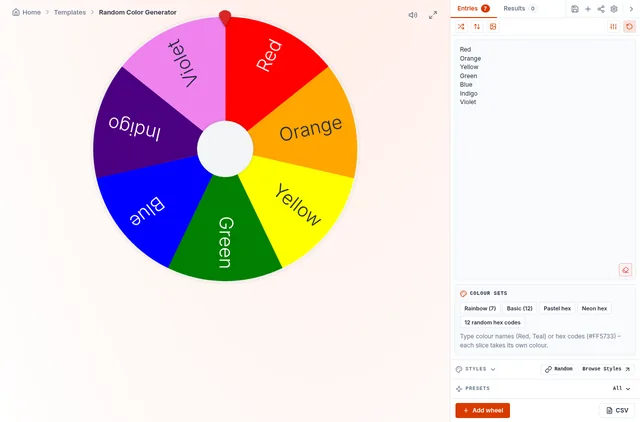
Type any colour name (Red, Teal, Navy) or hex code (#FF5733) on its own line and the slice takes that colour. Use it for art challenges, outfit ideas, game teams, classroom colour lessons or picking a colour scheme for a design.
How to Generate a Random Colour
Choose a colour set
Rainbow (7), Basic (12), Pastel, Neon or 12 random hex codes.
Edit the list
Add colour names or hex codes, one per line. The slice is coloured automatically.
Spin
The wheel lands on a colour. Copy the name or hex code from the result.
Ideas for a Random Colour Picker
Art and drawing challenges
Spin two or three colours and create a drawing using only those.
Limited palette challenge: teal + coral + cream.
Design inspiration
Generate random hex codes for a mood board, a logo test or a website accent colour.
Random hex: #3B82F6.
Kids and classrooms
Learn colour names, play "find something this colour" or sort teams by colour.
"Find something green in the room!"
Games and teams
Assign team colours, choose a Twister colour or pick a colour for a party theme.
Team Red vs Team Blue.
Colour Names and Hex Codes
| Colour | Hex code | Colour | Hex code |
|---|---|---|---|
| Red | #FF0000 | Teal | #008080 |
| Orange | #FFA500 | Navy | #000080 |
| Yellow | #FFFF00 | Pink | #FFC0CB |
| Green | #008000 | Brown | #A52A2A |
| Blue | #0000FF | Gray | #808080 |
| Purple | #800080 | Cyan | #00FFFF |
Random Hex Codes
Hex codes describe a colour with six characters: two each for red, green and blue, from 00 to FF. There are 16,777,216 possible hex colours. The "12 random hex codes" set picks 12 of them at random with a secure generator; press it again for a fresh set. Pastel and neon sets give softer or brighter results that are easier to use in design work.
Frequently Asked Questions
How do I pick a random colour?
Can I generate random hex codes?
Can I type my own colours?
Can I use it for Twister?
Related Wheels
More free tools in the same family.