Random Date Generator
Choose a start and end date, how many dates you need, and generate. Weekdays-only and no-repeat options included.
A random date generator picks a random date between two dates you choose. Set the start and end, choose how many dates (up to 100), and press Generate – with options for weekdays only, no repeats, sorting and formats such as 2026-11-10 or 10/11/2026.
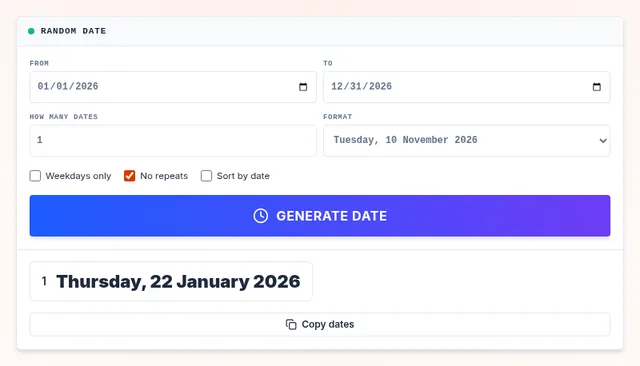
Every day in the range has the same chance. It is useful for scheduling random check-ins, planning surprise date nights, choosing sample days for audits, creating test data, or picking a random birthday for a story character.
How to Generate a Random Date
Set the range
By default the whole current year is selected. Change From and To.
Choose options
How many dates, weekdays only, no repeats, sorted order and the format.
Generate and copy
Press Generate date, then Copy dates to paste them anywhere.
What People Use Random Dates For
Surprise plans
Pick a random weekend for a date night or a family outing.
Next surprise date: Saturday, 14 March.
Work and audits
Choose random days for spot checks, quality reviews or check-ins.
12 random weekdays this quarter.
Writing and games
Random birthdays and historical dates for characters and trivia.
Born on 3 July 1987.
Test data
Generate sample dates for spreadsheets and software testing.
100 ISO dates, sorted.
How the Dates Are Picked
The generator lists every day in your range (skipping weekends if you ask), then draws from that list with a cryptographically secure random generator. With "No repeats" it shuffles the list and takes the first dates, so every combination is equally likely. Dates are calculated in UTC, so time zones never shift a date by one day.
Need a random number instead? Use the random number generator.
Frequently Asked Questions
How do I pick a random date between two dates?
Can I get weekdays only?
Can I generate several dates without repeats?
Which date formats are supported?
Related Wheels
More free tools in the same family.